Your MRR at a glance
right on your desktop
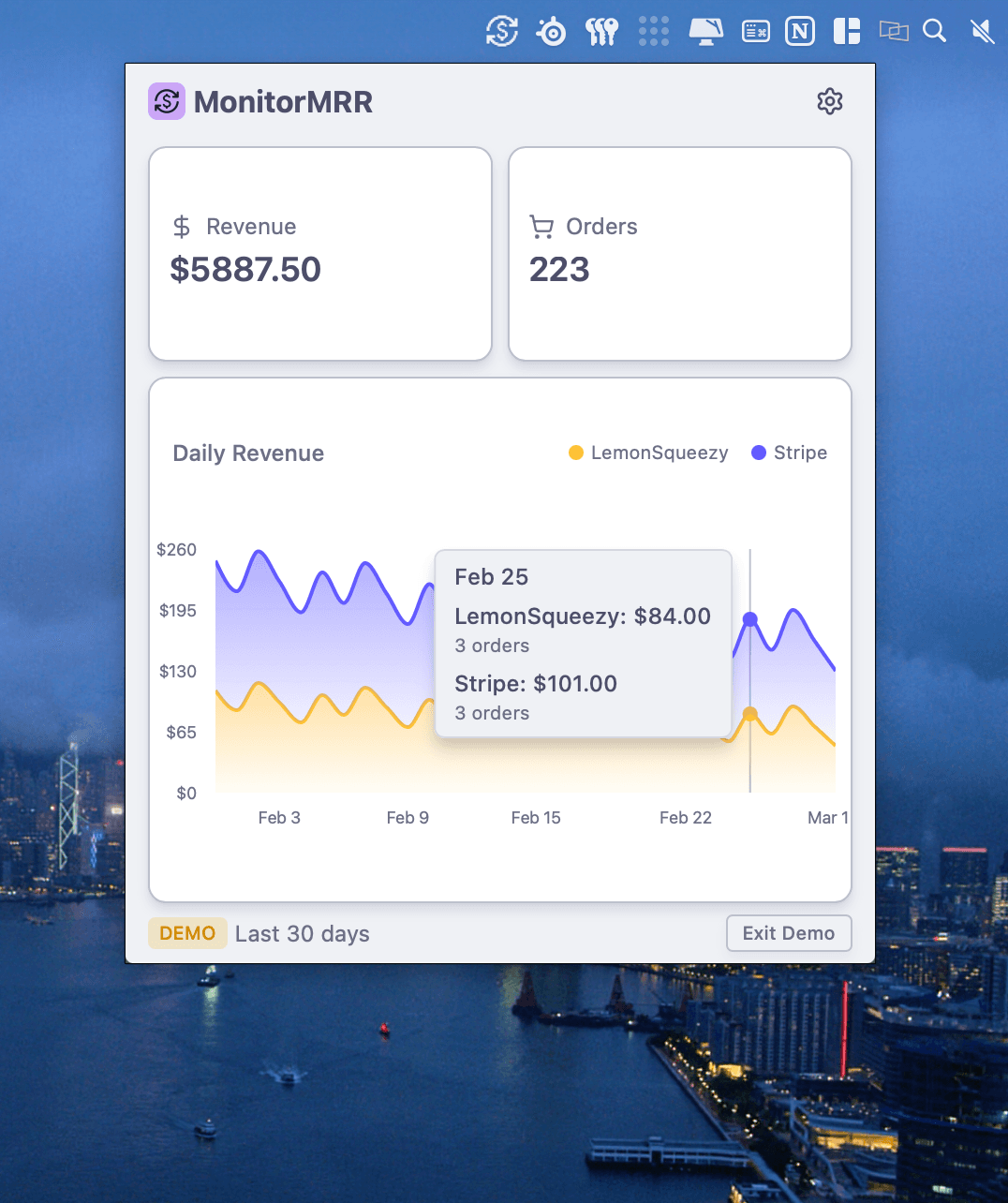
Track your monthly recurring revenue without leaving your desktop. Connect Stripe and LemonSqueezy with API keys and watch your revenue history unfold in a beautiful chart.
Always one click away
Click the menu bar icon to instantly see your MRR, recent transactions, and revenue trends — no browser tabs required.
Everything you need to track MRR
A native macOS app built for indie hackers and SaaS founders.
Stripe support
Connect your Stripe account with a read only API key to track orders and MRR in real-time.
LemonSqueezy support
Connect your LemonSqueezy account with an API key to track orders and MRR in one simple chart.
Revenue charts
Beautiful charts show your MRR history, growth trends, and revenue patterns over time.
Menu bar access
One click from your macOS menu bar opens a popover with all your revenue data.
Growth tracking
Track month-over-month growth, churn, and new revenue at a glance.
Privacy first
API keys are stored securely in your macOS Keychain. Your data never leaves your machine.
Up and running in minutes
No account needed. Just download, connect your payment provider, and go.
Download
Install MonitorMRR on your Mac. It lives quietly in your menu bar.
Connect
Add your Stripe or LemonSqueezy API keys. They're stored securely in Keychain.
Monitor
Click the menu bar icon anytime to see your MRR, trends, and recent activity.
Ready to track your MRR?
Download MonitorMRR and see your revenue at a glance. Works with Stripe and LemonSqueezy out of the box.